Module 3 of 4

Using Bitcoin Safely

Listen to this chapter

3.1Using Bitcoin Safely

This module is about safe first actions, not becoming an expert or taking financial risk. You will practice with prepared simulations, test environments, training wallets, or, where your educator judges it appropriate, a low-stakes live activity.

You do not need to buy or otherwise acquire bitcoin, or use personal funds, to complete the Bitcoin Diploma.

What information can you share safely? What information could give another person control? How would you notice that a payment request has changed? These questions matter before any wallet, payment, or backup becomes important.

Use these three rules throughout the module:

  1. Share receiving information, never secrets. An address or payment request can receive bitcoin. A private key or recovery phrase can control it.
  2. Pause before approving a send. Check the person, payment method, destination, amount, and final screen.
  3. Keep mistakes small. Stop and ask for help when a request is unclear, rushed, or asks for secret information.

By the end, you should be able to explain who controls the keys, complete a supported receive or send practice task, respond safely to a scam or mismatch, and show recovery readiness without exposing any real secret. The goal is not speed. It is knowing when to pause.

The module follows three practical questions:

  1. What can I share, and what must remain secret?
  2. What must I check before I receive or send?
  3. When should I stop and ask for help?

Use the explanations below to prepare for the three guided practices: a receive-screen check, a send-and-verify check, and a recovery-readiness or scam-response scenario.

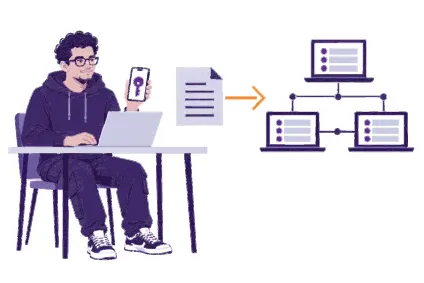
3.2Wallets

Bitcoin wallet

A Bitcoin wallet is a tool that manages the information needed to receive and authorize Bitcoin transactions. It may be an application, a dedicated device, or a service. Bitcoin is recorded as transaction history on the shared ledger; a wallet manages the keys that control spending, rather than storing bitcoin on a phone or other device.

What would happen if your phone stopped working? The Bitcoin record would still exist, but access would depend on the keys and recovery method the wallet uses. A wallet helps create receiving information, show balances and transaction history, and authorize spending. It does not remove the need to understand who controls access.

Bitcoin is recorded on the shared ledger, not inside your phone. Before using a wallet, know who controls the keys, how access is recovered, and what would happen if the device or service failed.

Your wallet holds the keys

Receive

Share a receiving address

Send

Sign with your key
The bitcoin stays on the shared ledger

The first question about any wallet is: who controls the keys? Before using a tool, check who can authorize a payment, how access is recovered, and which payment methods it supports. Open-source software publishes its code for anyone to inspect and review. This can improve transparency and make mistakes easier to find, but it is only one useful factor: it does not prove that a tool is safe, maintained, correctly installed, or suitable for your needs.

Compare custody, recovery, whether the code is publicly inspectable, compatibility, privacy, cost, maintenance, and available support without treating any wallet as the global choice. Start with an educator's prepared environment; do not choose a tool because a stranger recommends it.

Learning wallets and personal wallets

During the Diploma, you may create a wallet or write down recovery words as part of practice. A classroom is a learning environment: information can be seen, copied, shared, or compromised by mistake. For this reason, a training wallet should normally be empty or simulated and should not be used to secure meaningful funds. Where practical, it is closed, reset, or returned at the end of the Diploma. Your educator may choose a low-stakes live activity, but should explain its purpose and the added privacy, security, and loss risks before anyone takes part. A wallet intended to secure meaningful funds needs a new, private setup and new recovery information. Your educator can explain the difference, but you are never required to set up a personal wallet to complete the Diploma.

Resources

3.3Addresses

Bitcoin address

A Bitcoin address is public receiving information for an on-chain payment. A wallet normally shows it as text and a QR code so another person can direct bitcoin to you. Unlike a password or private key, an address cannot authorize spending.

Receive

Address

bc1qmp7pyt3fe0nv2ulh48425m96rp9qdlmd22j5n5

Sample only. Do not pay.

Public receiving information. It cannot authorize spending.

If you want to receive an on-chain payment, where should the address come from? Open the intended wallet and use its receive screen. A sender can scan the QR code or copy the address. This avoids the mistakes that can happen when long strings are typed by hand.

For every payment request, confirm the intended payment method. An on-chain address and a Lightning invoice are different. After scanning or copying, compare the destination with the trusted receiving screen before approving a payment. Why check after copying? Malicious software can replace copied address information. A new on-chain address for a new receipt can improve privacy. Reusing one address can make separate payments easier for other people to link together. A fresh address reduces that easy link; it does not make a payment anonymous.

Lightning invoice

Payment method

Lightning

Recipient

My First Bitcoin

Amount

1,000 sats

Lightning payment request

lnbc10u1pelc6y6r67939zgvdtn667sjvwdv0tn3a70krnkekdgs5wtp7kr90gep5767ynnerwhdu4d2dkc6prs7nhqyt53jkf54wwc32xyn6gmvuqq95yhv4xdavwtykeen2qylssw2k282aw8kp3au8s800yq6y6z8ylp29lrnrp92m8f89hhp7vdjq

Sample only. Do not pay.

Check the payment method, amount and recipient before you approve.

When a payment matters, do not decide that an address is safe only because it looks familiar. Confirm the intended recipient, correct Bitcoin network, destination, and payment method. Use a small test first when the process or amount is unfamiliar.

3.4Keys

Bitcoin ownership is enforced through cryptographic keys.

Private key

A private key is secret information that allows a wallet to create valid digital signatures. A signature authorizes the spending of bitcoin controlled by the corresponding key. Anyone who obtains the private key can usually spend those funds.

A public key is mathematically derived from the private key. It helps verify a signature without revealing the private key. Addresses are created from public-key information.

The essential rule is simple:

Public receiving information can be shared. Private spending information must remain secret.

A digital signature proves that the required private key authorized a transaction. It does not place the private key inside the transaction. Nodes verify the signature before accepting the spend.

Most beginner wallets use single-signature: one private key authorizes a transaction. Modern wallets manage many keys automatically. Beginners should not copy or handle individual private-key strings. Protect the wallet's approved backup and follow its recovery procedure.

No legitimate educator, wallet company, exchange employee, technical-support worker, or Bitcoin developer needs your private key or seed phrase. Anyone who asks for it should be treated as a threat.

Try it: Sort prepared examples into three groups: safe to share for receiving, secret spending information, and information that may be public but should still be kept private when linked to a person.

Private key: never share it. Anyone with it can spend your bitcoin.

Receiving: safe to share

Public key, derived from the private key
Receiving address, created from public-key information

Spending: the key stays secret

The private key creates a digital signature
Nodes verify the signature without learning the private key

Resources

3.5Seed phrases

Seed phrase

A seed phrase, also called a recovery phrase, is an ordered list of words that many wallets use to derive and recover a set of private keys. A private key authorizes a spend; the seed phrase is normally the backup that can recreate the wallet's keys. Common lengths are 12 or 24 words, although wallet designs differ.

The order and spelling of the words matter. If a person has the seed phrase, they can often restore the wallet on another compatible device and spend the funds. The seed phrase is therefore not only a backup. It is full access.

Never share recovery information

Public receiving information can be shared. A private key, seed phrase, password, or recovery code must remain secret. No legitimate educator, wallet company, exchange employee, support worker, or Bitcoin developer needs it. If a seed phrase may have been seen, copied, entered online, or stored on an untrusted device, treat it as compromised and seek help without revealing it.

Sample only
1. civil
2. switch
3. plunge
4. stadium
5. live
6. wedding
7. foster
8. dice
9. giraffe
10. you
11. foil
12. cinnamon

Protect a seed phrase with these rules:

  • write it down privately and accurately during wallet creation
  • follow the wallet's official backup instructions
  • keep it offline
  • never photograph it, store it in cloud notes, email it, or send it in a message
  • never type it into a website or ordinary computer form
  • keep it out of cameras, microphones, other people's view, and places where it may be damaged, lost, or found

Some wallets use additional passphrases, multiple keys, or other backup systems. These are Advanced Learning. Do not add complexity you cannot explain and recover from safely. If a seed phrase may have been seen, copied, entered online, or stored on an untrusted device, treat it as compromised: seek guidance without revealing it and use a new trusted recovery process.

Read the screen

The wallet shows the words in order.

Write on paper

Copy each word by hand, offline.

Check every word

Compare order and spelling with the screen.

Resources

3.6Custodial and non-custodial use

Custody

Custody answers a practical question: who controls the keys required to spend the bitcoin?

In a custodial service, a company or another person controls the keys. Your displayed balance is a promise from the custodian. You usually sign in with an account and ask the service to process a withdrawal or payment.

This difference is important for verification. Bitcoin's rules and total supply can be checked independently, but if you do not control the keys, you cannot independently check that the balance shown in your account corresponds to bitcoin the service holds and will make available to you. The public blockchain can show bitcoin controlled by keys; it cannot show that a service owes a particular customer the balance displayed in an account. Until you can withdraw and control the keys, your balance is the service's promise to provide bitcoin, not bitcoin you can directly verify and spend yourself.

In a non-custodial or self-custodial wallet, YOU control the keys. The wallet signs transactions under your authority. There may still be software, hardware, server, or network dependencies, but no custodian must approve a valid on-chain spend.

Custodial

You sign in to an account on your phone
The service holds the keys on its servers
The service approves and signs your payment

Balance

A promise from the service

Recovery

Through the service's account process

Risk

The service limits access or fails

Self-custodial

You hold the keys in your wallet on your phone
Your wallet signs under your authority
The network checks the transaction

Balance

Bitcoin you can verify and spend

Recovery

You, through your backup process

Risk

You lose your recovery information

Question
Custodial use
Self-custodial use
Who holds the keys?
The service
The user
Who handles recovery?
Usually the service through an account process
The user through a backup process
Main trade-off
Familiar support, with provider dependence
Direct control, with backup and error responsibility

Custody is not always obvious from the interface. If you cannot control the recovery method and need a company to approve a withdrawal, you are probably using a custodian. Self-custody is not a test of personal worth; the important step is to identify the trust and risk involved.

Try it: Read two prepared wallet descriptions. For each, state who controls the keys, who could restore access, and one risk to check before using it.

3.7Hot and cold wallets

Hot wallet

A hot wallet manages keys on a device connected to the internet, such as a phone or computer. It is convenient for regular payments, but has a larger attack surface because malicious software, insecure updates, phishing, physical access, or device compromise may expose the wallet.

Cold wallet

A cold wallet describes an arrangement that keeps signing keys away from an internet-connected general-purpose device.

Hot wallet

Keys sit on a phone or computer.
It stays connected to the internet.

Who holds the keys?

A separate question

Cold wallet

Keys sit on a dedicated device.
It stays away from the internet.

Who holds the keys?

A separate question

Hardware wallet

A hardware wallet describes a dedicated device designed to generate, protect, and use keys while keeping them isolated from the connected computer or phone. A hardware wallet can support a cold arrangement, but the terms are not interchangeable; custody and recovery are separate questions.

Arrangement
Common strength
Responsibility to remember
Hot wallet
Convenient access for regular payments.
An internet-connected device can face malware, phishing, or loss.
Hardware wallet or cold arrangement
More isolated signing keys.
The device, backup, and recovery process still need protection.
Custodial account
Familiar login and available support.
A provider controls access and may impose limits.

Try it: For a small, fictional payment and a less-frequent fictional payment, explain which trade-off matters more. Do not choose a tool or amount for your own funds.

3.8Wallet recovery and seed phrase testing

What would you do if the original device failed? A recovery plan should let you restore the expected wallet without exposing the recovery information. Practice only with educator-prepared, empty, or simulated materials. Follow the wallet's official recovery method privately, confirm the expected training wallet, and reset or return the temporary material safely.

An educator can observe your process without seeing any recovery words. Never enter a real recovery phrase into a website, message, or ordinary computer form.

A safe recovery-readiness practice is simple:

Prepared, empty or simulated materials only. Your educator never sees the recovery words.
  1. 1Follow the instructionsUse the official guide for the exact training wallet.
  2. 2Check compatibilityMake sure the wallet and its recovery method work together.
  3. 3Work privatelyKeep cameras and observers away from the secret material.
  4. 4Use the approved methodRecover with the wallet's own backup-check or recovery method.
  5. 5Confirm the walletCheck the expected receiving information or training history.
  6. 6ResetClear the temporary training environment as instructed.

Do not use a training wallet or its recovery information to secure meaningful funds after the Diploma. A personal wallet, if you choose to create one later, needs a new private setup and new recovery information.

The point is not to make recovery feel easy. It is to understand the process before a device failure creates pressure.

3.9Receiving bitcoin

Practice 1: receive safely

Receiving does not authorize funds to leave your wallet, but it still needs careful checking. Begin by asking: am I using the intended wallet and the intended payment method?

  1. Open the prepared wallet and choose Receive.
  2. Identify whether the request is on-chain or Lightning.
  3. Share only the address, QR code, or payment request.
  4. If an amount is shown, check it with the sender.
  5. Check the amount and status in your own wallet.

Receive

Method

On-chain

Request

bc1qnynzvt4cwlwxlsd3hsv4w3mdkhpw56zhupdqn4

Amount

0.01 BTC

Status

Pending

Sample only. Do not pay.

A screenshot saying "sent" is not proof. Check the status here.

A message or screenshot that says “sent” is not proof. What evidence can you see yourself? Check the receiving wallet or approved transaction view. For on-chain payments, a wallet may first show the transaction as pending. Confirmation status adds settlement confidence; it does not repair a wrong address or scam. A wallet may offer a fresh address for a new receipt; older addresses may still work, but reusing one address can make separate payments easier to link. A fresh address reduces that easy link; it does not make a payment anonymous.


3.10Sending bitcoin

Practice 2: pause and check before sending

Sending needs more care because a valid Bitcoin transaction is usually difficult or impossible to reverse. Before you touch the approve button, can you explain who will receive the payment and why?

Stop and verify before sending

Confirm the recipient, payment method, destination, amount and unit, fee or expiry, and final screen. If anything differs from the trusted request, or someone creates urgency or asks for recovery information, stop and verify independently. Use a small test when the process is unfamiliar.

  1. Confirm the recipient and purpose through a trusted channel.
  2. Confirm the payment method: on-chain or Lightning.
  3. Scan or enter the destination, then compare it with the trusted receiving screen.
  4. Check the amount, unit, fee or expiry information, and final summary.
  5. Use a small test when the process is unfamiliar.
  6. Approve only when every item matches; then check the payment result.

Before you send

✓ Recipient

Confirm who and why through a trusted channel.

✓ Payment method

Confirm on-chain or Lightning.

✓ Destination

Compare it with the trusted receiving screen.

✓ Amount and fee

Check the amount, unit, fee or expiry.

✓ Small test

Send a small amount first if the process is new.

✓ Approve

Approve only when everything matches.

Anything differs, feels urgent or asks for recovery information? Stop and verify. After sending, check the result.

For an on-chain payment, the network fee is paid for including the transaction in a block. It depends mainly on the transaction data and demand for block space, not simply on the amount being sent. Fee estimates and timing can change, so read the final summary rather than assuming that a low-value payment has a low fee.

If the destination changes unexpectedly, the request becomes urgent, or anyone asks for recovery information, what should you do? Stop. Verify the request independently, or ask for help without sharing secrets.

The educator guides the beginner learner as they compare a phone with the business owner's receiving device before approving a payment.

3.11Verification, block explorers, and irreversible transactions

Transaction ID and block explorer

A transaction ID (txid) identifies an on-chain transaction. A block explorer shows public Bitcoin data, such as a transaction's status and confirmation count. It is a useful view, not an authority over Bitcoin and not proof of the recipient's identity or honesty.

What can this public information show, and what can it not show? It can show a transaction's status, destination, amount, fee, and confirmation count; it cannot prove why a payment happened or whether a person is trustworthy. An on-chain transaction is unconfirmed after it is broadcast and gains its first confirmation when included in a valid block. Later blocks add confidence to its place in the record, but they do not fix a wrong destination or a scam. There is no universal confirmation count for every payment; the suitable check depends on the amount and risk.

To inspect a prepared transaction, obtain its txid, open a trusted explorer for the intended Bitcoin network, and check the status, destination, amount, fee, and confirmations. An explorer is only an interface. Searching an address or txid may reveal to its operator that your device is interested in that information. For practice, use an educator-prepared transaction or printed screenshot. Do not search a learner's personal address or transaction on a public service. If you later research a personal payment, learn the privacy and security trade-offs of your connection before using a public service.

Public data is not proof of identity or honesty

A block explorer can show public transaction data, but it cannot prove who controls an address, why a payment happened, or whether a recipient is trustworthy. Use prepared examples for practice and protect privacy when searching public services.

Pending pool

Waiting for a block

Block N

1 confirmation

Block N+1

2 confirmations

Block N+2

3 confirmations

Block N+3

4 confirmations

Resources

3.12Safety checklist

Practice 3: spot a risk and stop safely

What would make you stop before a payment or installation? Treat these as red flags: someone impersonates support or an educator; creates urgency or secrecy; promises guaranteed returns; asks you to send bitcoin first; changes a destination; or asks for keys, recovery words, remote access, or an advance fee.

Urgency

Impersonation

Changed destination

Guaranteed returns

Requests for secrets

The safe response is always: Pause. Share nothing. Send nothing. Close the channel. Verify independently through a known source. Ask for help without revealing secrets. A known source is an official site, app listing, or contact method that you reached independently, not through an advertisement, direct message, or unexpected link. Check the publisher and web address, compare it with official documentation, and find contact details separately. If the source, instructions, or payment details differ from the demonstrated process, pause and seek help from your educator or trusted local support without revealing a seed phrase or private key. A real opportunity can survive a careful check; a scam often depends on preventing one.

Protect recovery information: a seed phrase can recreate a wallet's private keys. Keep it offline and out of view. Verify destinations by checking the payment method, recipient, address or invoice, amount, and final screen after copying or scanning. Use official instructions and a verified source for any wallet or service; be cautious with sponsored search results, direct-message links, and look-alike sites. Start with safe practice, a simulation, or a small approved amount; never borrow money to experiment.

Try it: In a prepared message or payment screen, identify the warning sign, what could be lost, and the first safe action.

Resources

3.13Acquiring and exchanging bitcoin

Awareness, not financial advice

People may receive bitcoin through work, a community payment, a peer exchange, an ATM, or a service. Each pathway has different costs, custody, privacy, fraud, legal, and operational trade-offs. The Bitcoin Diploma does not recommend a provider or tell you which path to use.

In a prepared local or fictional scenario, compare custody, total cost, identity data, withdrawal limits, counterparty and physical safety, and current local rules. No pathway is automatically best everywhere. This course provides comparison questions, not a provider recommendation or personal financial advice.

  • Earning or receiving: Bitcoin may be received for work, goods, services, a gift, a refund, or a community payment. The parties still need to agree on the amount, timing, and payment method.
  • Peer-to-peer exchange: Two people may exchange fiat money or goods for bitcoin directly or through a matching service. This can introduce counterparty, physical-safety, payment-reversal, and fraud risks.
  • Exchange, broker, ATM, or kiosk: A service or machine may provide a familiar route, but may involve fees, identity checks, custody, withdrawal limits, or a poor exchange rate.

Before comparing a path, ask:

One person who wants bitcoin

Earning

Get paid for work.

Peer to peer

Trade cash in person.

Exchange

Buy from a service.

ATM

Buy at a machine.
Self-custody or a custodial balance
Costs

What price, spread, and service or withdrawal fees apply?

Custody

Who controls the bitcoin before and after the exchange?

Identity and privacy

What personal information is collected, stored, or shared?

Withdrawal and settlement

Can payment or withdrawal be delayed, limited, or reversed?

Counterparty and safety

How can I verify the other party or service, and is an in-person exchange safe?

Local context

Is the route lawful and appropriate where I live, and what records may matter?

No pathway is automatically best everywhere. Local examples and provider-specific guidance belong in Module 4.

Know Your Customer (KYC)

KYC describes identity checks a regulated service may require. It can support account recovery or legal compliance, while also creating a record that connects identity and financial activity. Paths with less identity collection can involve different counterparty, legal, safety, cost, or complexity risks.

3.14On-chain and Lightning payments

On-chain

Recorded directly in Bitcoin's blockchain

Lightning

A payment network built on Bitcoin

On-chain and Lightning payments

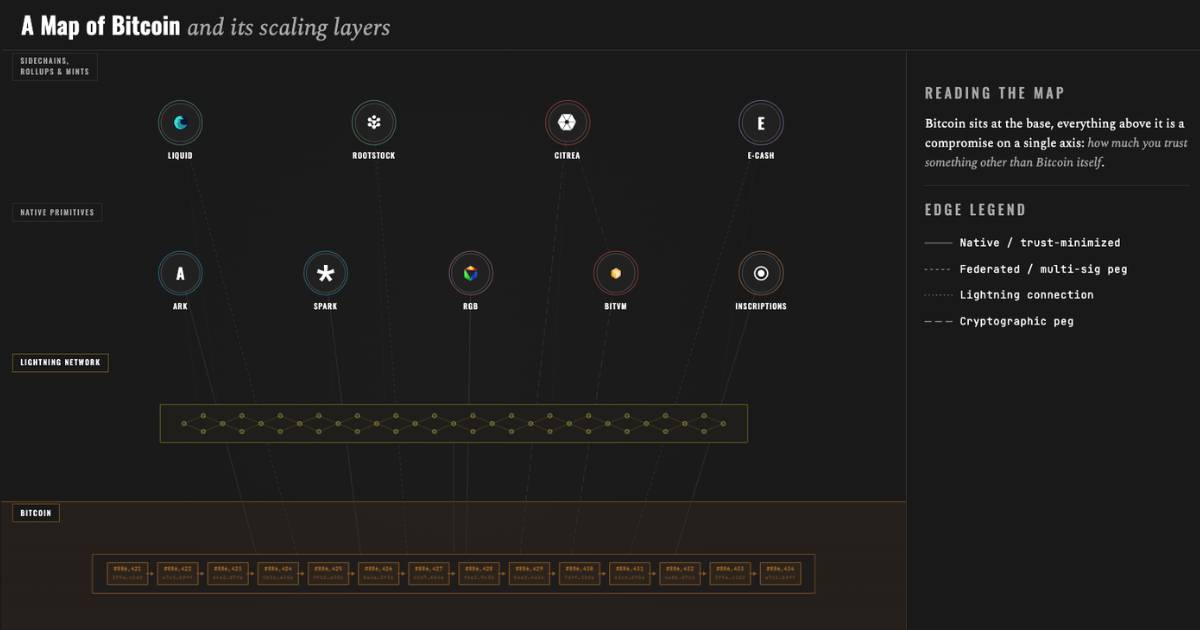
On-chain payments are recorded in Bitcoin's blockchain and gain confirmations. Lightning is a payment network built on Bitcoin that can support fast, frequent payments. A Lightning payment may complete quickly or fail, and its wallet can still be custodial or self-custodial.

On-chain and Lightning payments make different trade-offs. A Lightning wallet can be custodial or self-custodial, and a fast successful payment does not prove that a service is suitable for larger balances or every situation.

Question
On-chain Bitcoin
Lightning
Receiving information
Bitcoin address or on-chain payment request
Lightning invoice, offer, or supported Lightning address
Payment result
Broadcast first, then confirmations
Usually completes or fails quickly
Common use
Base-layer settlement or less frequent transfer
Fast, smaller, or frequent payment
Beginner checks
Correct address, network, amount, fee, and confirmation status
Correct invoice or request, amount, expiry, custody, and payment result

Which path does the recipient expect? Confirm whether they have provided an on-chain address or a Lightning invoice or request before paying. An on-chain wallet cannot directly pay every Lightning invoice, and a Lightning wallet may not support every on-chain action. Some applications support both paths but may add fees or service dependencies. Detailed Lightning setup, channels, routing, and liquidity are Advanced Learning; live local practice belongs in Module 4 when it is safe and appropriate.

Imagine that a prepared scenario offers both payment paths. Which request can the intended wallet use, and what would you check before approving it? The answer depends on the receiving request, the wallet, and the situation — not on a universal “best” path.

Resources

3.15Practical competency check observed by an educator

Before assessment, you will receive supported practice and know the task and safety boundaries. Your educator—not attendance or self-report—will observe you using an approved prepared, simulated, or low-stakes environment.

You will show that you can open or navigate the prepared wallet, complete an approved first-access pathway, locate and check receiving information, and receive bitcoin or safely simulate receipt. You will also complete or safely simulate a receive or send flow and show recovery readiness with prepared materials while keeping all secrets private. You may practice responding safely to a mismatch or scam through guided scenarios. If you are not yet ready, you should receive feedback, more practice, and another opportunity to demonstrate the skill.

3.16Review: What does self-custody responsibility mean?

Backup

Lost backup, lost access.

Payments

Mistakes cannot be undone.

Tool choice

Know who holds the keys.

Control of keys

Buying route

A poor route costs money.

Privacy

Exposed data draws scams.

Scam checks

Pressure is a warning sign.

Task
What to protect or check
If it goes wrong
Backup
Keep the seed phrase offline and private.
No company can restore a lost backup.
Receiving
Share only the address or payment request.
Shared secrets let others spend your bitcoin.
Sending
Check method, destination, amount and final screen.
A sent payment is usually hard to reverse.
Custody
Know who holds the keys.
A service can limit or delay withdrawals.
Tool choice
Check the download source and recovery method.
A fake wallet can steal your keys.
Acquisition
Compare total cost, identity data and limits.
Hidden fees or a dishonest party can cost money.

Imagine that a friend sends you a payment request while an unfamiliar support account says you must act immediately. What could you check before doing anything? Can you protect a recovery plan, distinguish receiving information from secrets, and verify the person, payment method, destination, amount, and final screen before sending? Whether a service or you control the keys, the practical recap is the same: protect secrets, verify before approving, recognize scam signals, and keep mistakes small while learning.

Key takeaways

  • A wallet manages the keys and information used to receive, check, and spend bitcoin; bitcoin is not stored on a phone or other device.
  • Addresses and payment requests can be shared to receive bitcoin, but private keys and seed phrases must remain secret.
  • A seed phrase can provide full recovery access, so it must stay offline, private, and out of websites and messages.
  • Custodial and self-custodial arrangements create different recovery and control responsibilities. Hardware wallets still depend on a safe backup.
  • Before receiving or sending, check the correct payment method, destination, amount, and final status; a valid send is usually difficult or impossible to reverse.
  • Start with safe practice or small approved amounts. Pause when a request creates urgency, secrecy, or pressure.

A moment to reflect

Which safety check will you pause to make before acting?

↑ Back to table of contents